Nugget iOS
Nugget is a powerful customization tool for your iOS device. The tool unlocks the hidden features of your device simply by tricking it, without any jailbreak. This application uses the latest exploits to gain access and unlock the full potential of your device.
You can modify the Status bar, apply video wallpapers, give a clean look to your Status bar, add a footnote to the lock screen, and many more. This iOS customization tool is perfect for users who want a fresh and lively look for their iOS device. Try Nugget iOS, download it to unlock some of its amazing features.
What is Nugget iOS?
Nugget iOS is a program that allows an iOS user to download animated video wallpapers, templates, and helps users to custom tweaks to their device without jailbreaking it. Made by leminlimez, kudos for an awesome app.
iOS doesn’t allow any modification to its devices for security purposes. But with software, personalization of your device has become so easy and safe without compromising your security at stake.
The application is fully supported on iOS 17+ to 18.1.1 and partially supported on 18.2 and 18.2 (beta). This application keeps updating regularly, which enhances the security and performance, and makes this program modern, relevant, and trustworthy.
Recent discussions on Reddit show that people are testing more advanced tweaks like better SpringBoard customization, smoother lock screen animations, and fixes for newer iOS 18 versions. This shows Nugget iOS is moving beyond basic theming and slowly becoming a more capable customization tool while still avoiding the need for a full jailbreak.
Key Features
Explore Advanced System Customization
Ready to unlock hidden capabilities on notched iPhones running iOS 17 up to iOS 26.1? Learn how to safely configure the Always-On Display, reposition the Dynamic Island, and customize system presets in our latest step-by-step walkthrough.
Read the iOS 26 Customization GuideHow to Download and Install Nugget iOS?
Before you begin, make sure:
- You will need Python 3.8 or newer to run this program.
- Make sure your device is running iOS 17 to iOS 18.1.1 (partially works on 18.2).
- Remember to back up your device before using this application.
- Make sure to turn off Find My Phone during the customization process.
- If you have connected your device through the USB, then do not remove it when the customization is still in process.
Choose your operating system:
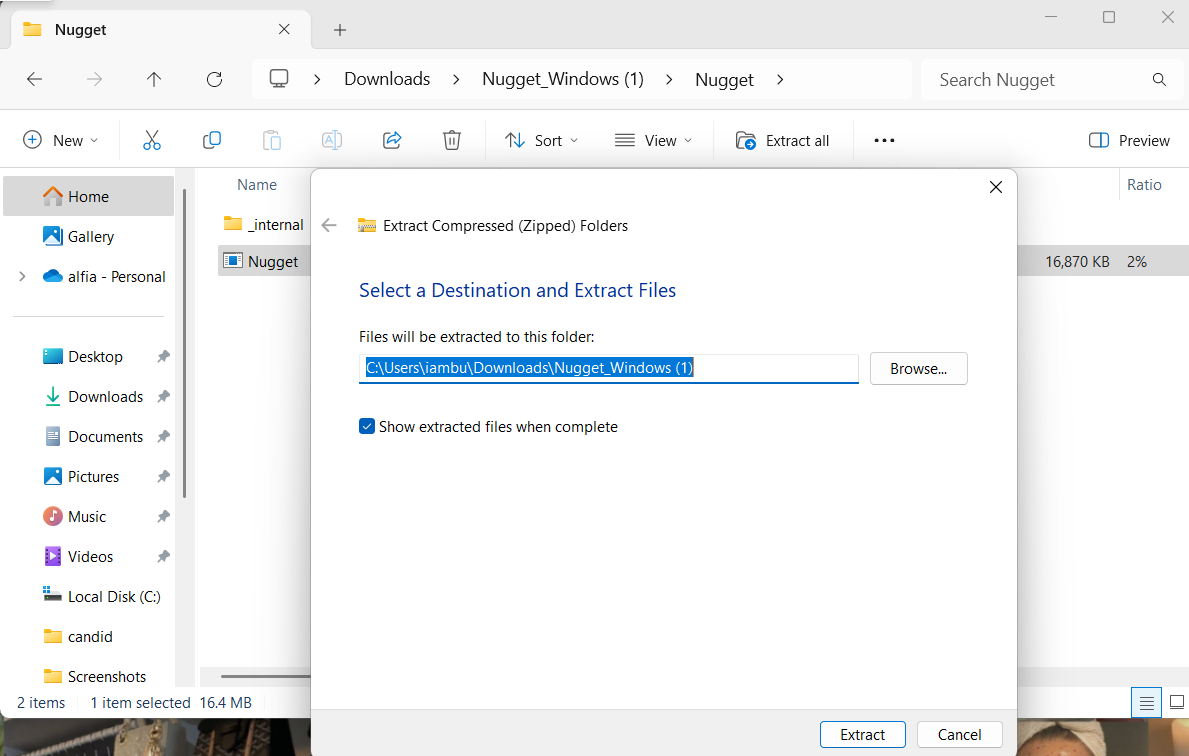
🧩 To install the Nugget application on your PC:
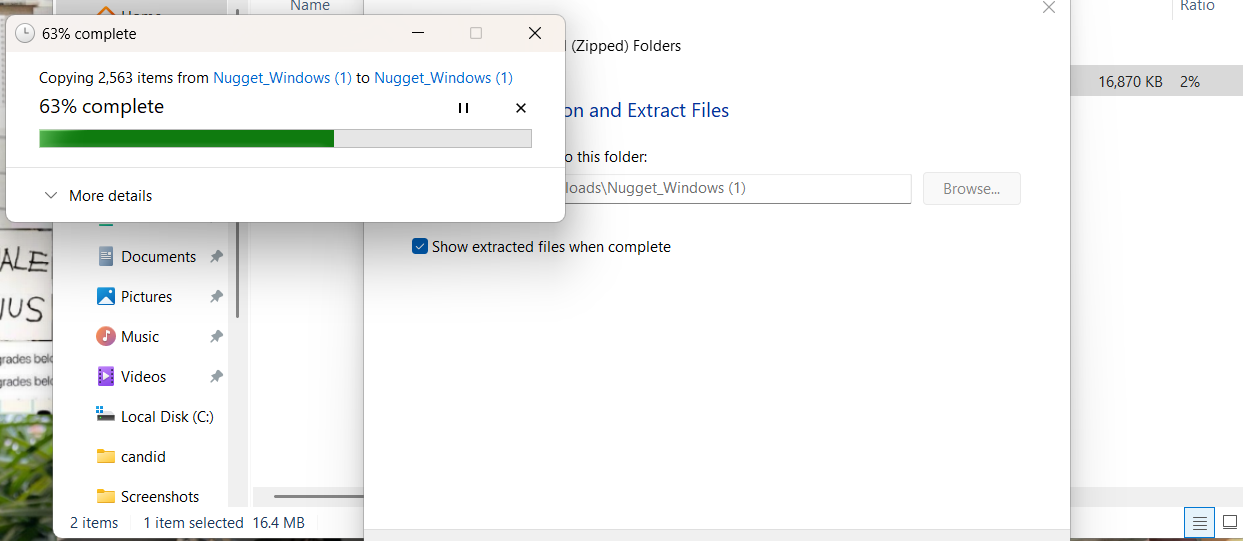
- Extract the downloaded ZIP file.
- Open the application folder.
- Follow the onscreen instructions to complete the setup.
📱 You will need to take a few steps to prepare your iOS device:
- Install the Shortcuts app on your iOS device.
- Create and save the My Shortcut file under the iPhone (MY iPhone) location.
🌐 Method 1: No USB
- Open the Nugget app on your PC.
- Drag and drop the IPA file, and click on “Apply”.
- Your iOS device will restart, and it will automatically connect to the PC.
🔌 Method 2: USB Connection
- Connect your device using a USB cable.
- Run the Nugget app and follow the onscreen instructions.
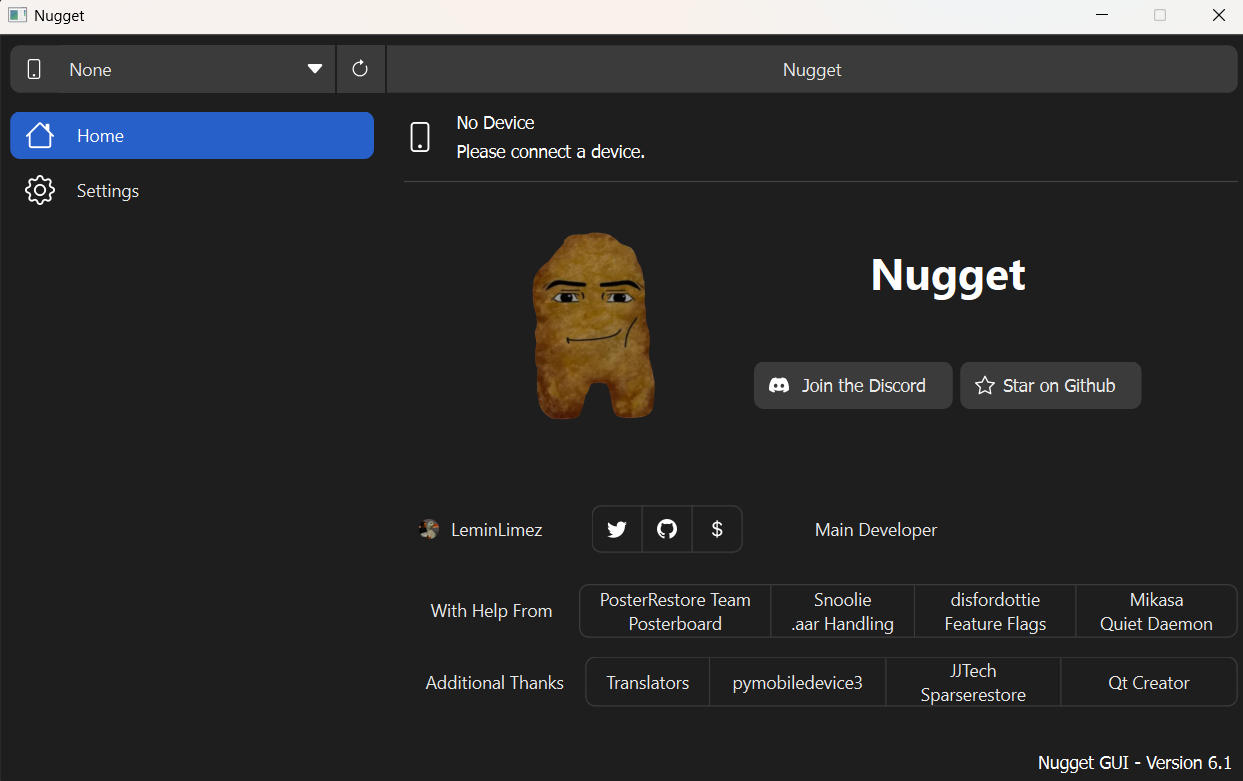
Screenshots of Installation



Video Overview
How to Use Nugget iOS?
It is easy to use Nugget once you connect your iOS device to the app. Open the application, and you will see a menu bar consisting of Posterboard, statusbar, and Mobile Gestalt.
PosterBoard:
- Once the device is connected, go to the application. You will get to know some cool features of PosterBoard. It has an option called “Discover Wallpaper.” Clicking on it will lead you to the list of available wallpapers.
- PosterBoard has a community Discord server from which you can get a bunch of video wallpapers. Developers and creators are constantly updating this list of wallpapers.
- PosterBoard includes a video conversion feature where you can convert any video into wallpaper.
Status bar:
- The status bar on an iOS device is built-in and typically hard to modify without jailbreaking. However, with this program, you can do it easily.
- To modify the status bar, connect your iOS device to your PC.
- You can either use a USB to connect or send the Shortcut IPA file to the PC through a No-USB website.
- Then open the program and click on the status bar.
- You will find so much to modify, such as the Carrier names, battery percentage, cellular bars, time and date text, etc.
- You can use the misc option to give the status bar a nicer look.
Mobile Gestalt:
- Mobile Gestalt is an iOS internal Q&A system that Nugget uses to trick the iOS by faking its answers and spoofing it. It works only for version 18.1.1 and below.
- When you open the application, you can find the Mobile Gestalt, where you can see options like spoofing, enabling the Apple Intelligence feature, which is only available in newer iPhones.
- There is also an option to enable Always ON Display and Dynamic Island. This feature does not work in 18.2 and up, as it is patched.
- You can enable any feature just by clicking on it.
Pocket Poster:
- A Pocket Poster is an app that gives you access to the wallpapers without connecting your device to a computer.
- For this app, go to settings and click on the Pocket Poster Helper, then open the Pocket Poster app on your iOS device, and click on Detect. It will auto-fill the hash.
- Then go and download the wallpapers from the Nugget Wallpaper website. Tap on the Open in the Pocket Poster app option, then click on Apply, and it will be applied to your wallpaper.
Features in Detail
Speedy Setup Templates:
To speed up the setup process, a set of pre-built templates is provided. It also allows you to apply tweaks in just a few steps. So you don’t need to repeat the entire process manually.
Status bar modification:
You can modify the status bar by using this program. The status bar feature also allows you to change the carrier name, choose to enable or disable it, and fake the battery percentage and cellular bars.
Lock screen Footnote:
Now, Lock screen Footnote is back! It will allow you to write a note on the lock screen, without removing the “Swipe Up” text, and only add your note just below it.
Clean Look Mode:
In the Misc option, you can tweak the standard status bar and collect all the less common elements in one place, and leave the rest as it is to give the status bar a clean look.
TrustStore Toggle:
Trust Store in iOS contains the certificate that it allocates to each website, app, and apk, which helps you identify the identity. This program gives you a choice whether to turn on or off this feature at the time of setup.
Safe Restore Handling:
Earlier, this program was making blunders. It used to apply changes without checking the state of the device, which led to device crashes and system corruption, but now Safe Restore Handling makes Nugget smarter and safer while making changes to your iPhone, with minimal risk of device crashing.
What’s New
This program is now available in 20 languages.
The new version allows iPad users to modify the date in the status bar.
iOS beta users will get warnings before making any changes.
Why choose us?
Nugget iOS is the best iOS customization app. It does not require jailbreaking.
It tricks the operating system and does its work without violating security, and the warranty remains valid.
You can customize or edit the wallpaper with the help of batter files, as the app provides a pre-made setup.
Nugget can also change the UI direction from left to right for languages such as Arabic, Hebrew.
Community & Contributions
⭐ Star the Project
Show your love for Nugget iOS by starring it on GitHub. Every star helps keep development alive and strong!
Star on GitHub🐞 Report an Issue
Found a bug or something acting weird? Report it on GitHub and help make Nugget even better.
Report Issue🍴 Fork the Project
Want to experiment or contribute new features? Fork Nugget iOS on GitHub and join the developer fun!
Fork on GitHub⚙️ GitHub Actions
Explore Nugget’s automated builds and CI workflows, ensuring stable releases and smooth updates.
View ActionsFAQs
This is an application that helps you customize your iOS device without requiring a jailbreak.
Choose the operating system that suits your device, download the file on your pc, and run it. Now you are good to go.
Once you have installed the app, connect your iOS device to your pc. Now open the Nugget app, and you will see all the features. You can customize your device however you want.
You can go to the settings option, then click on the general settings, navigate to reset or reset all options, click on it, and most of the tweaks and customization will be deleted after this.
Yes, it is safe to use.
Yes, but it works partially as 18.2 is patched.
Final Words
This program enables easy customization of iOS devices without requiring jailbreaking. It redefines the boring iOS experience and makes it truly fun to use. If you’re tired of your monotonous and rigid iOS device, download Nugget to transform it into something interactive and engaging.